iOS · Androidbeta on TestFlightUpdated:
🐓 Kukarek
Anonymous chat and calls. No phone number, no email, no sign-up — pick a nickname and go.
Why at all
I got tired of handing over my phone number for every “hi”. I wanted something simple: open the app, pick a nickname, message a person. Or tap one button and get paired with someone who's also looking to chat right now. No forms, no “confirm your email”, no “we've sent you a code”.
Why Kukarek? It's Russian for a rooster's crow. A rooster yells whenever it wants and asks nobody. Perfect mascot for an app that asks nobody who you are.
How it was made
Let's be honest here. I'm not a programmer in the classic sense. I'm a vibecoder: I sit with an AI, explain what I want, look at what came out, swear a bit, explain again. The whole app was written this way. Every button, every screen, every bug — all through conversation.
For the first few days I lived without version control. That's like driving on the highway without a seatbelt: fun until you have to brake hard. Four rounds of changes and not a single point to roll back to. When something broke, I couldn't say “put it back the way it was yesterday”, because “yesterday” didn't exist. Never again, and I don't recommend it. Now every fix is saved separately, with a note on why.
The day it learned to call
Chat worked quickly. Calls were a saga.
Bug one: you call someone, you hear ringing, their phone stays silent. And it worked in one direction but not the other. Turned out the server thought the phone was online when it had long fallen asleep. The call flew into the void while the caller got honest ringing tones. Server's like “all good”, nobody on the other end.
Bug two: connected, timer running, silence. Both sides. All lights green, no errors, no sound. Half a day of searching. On iPhone the system runs the audio during a call, and it needed to be handed control properly. We weren't handing it. We just ticked a box saying “sound on” and waited for a miracle.
Bug three, the funniest: fixed the sound — lost the ringback tone. Well, it played for exactly two seconds and died. It was killed by the same thing that fixed the sound. I nearly went grey that day.
And the common cause of all three was one thing: the conversation was tied to the connection, not to the person. Phone blinked its network — conversation fell apart. Bonus: after a dropped call the person stayed “busy” for everyone. Busy. Because of their own conversation partner. Until somebody restarted the app. Total shitshow, but an educational one.
All of it fixed in one day. Now the conversation belongs to the person, survives a reconnect, and ends honestly when you hang up.
How it escaped the blocking without me planning it
Even funnier. At first the app talked to the server unencrypted, straight to a bare address. For traffic-filtering equipment that's a red flag: something unclear going somewhere unclear, from a foreign host on top. That gets cut automatically.
I didn't know that. I did encryption for privacy: messages and call setup went in plain text, and I didn't like it. Bought a domain, set up a certificate, moved everything to regular https. From the outside it became indistinguishable from visiting any website.
And the same day, people on home internet providers started connecting. No VPN. The medicine cured a disease I wasn't treating. I love days like that.
TestFlight and ghost builds
Apple let the app into testing within a day. After that it installs from a regular link, and new versions arrive in minutes.
But there's a catch nobody warns you about. You upload a build, Apple checks it, it sits there “ready”, and it never reaches people. Because you still have to hand it to the group manually. Two builds vanished this way: valid, invisible, and I thought people had them.
Even better: I have two tester groups, “insiders” and “friends by link”. The insiders got six new versions in a row. The friends sat on the old one the whole time, with a silent call, because for them a build needs not only adding but a separate review too. Nobody complained; everyone assumed that's how it is. Now everything is released by one script that fails if the link build doesn't install. No more ghosts.
Design: from peacock to Telegram
This is the fun part, because there are pictures.
The first version looked like a Bali sunset dropped into a blender. Gradient from yellow to raspberry, roosters and butterflies flying over it, glass cards. A “Let's go!” button on the entry screen. I liked it. I still like it a bit.
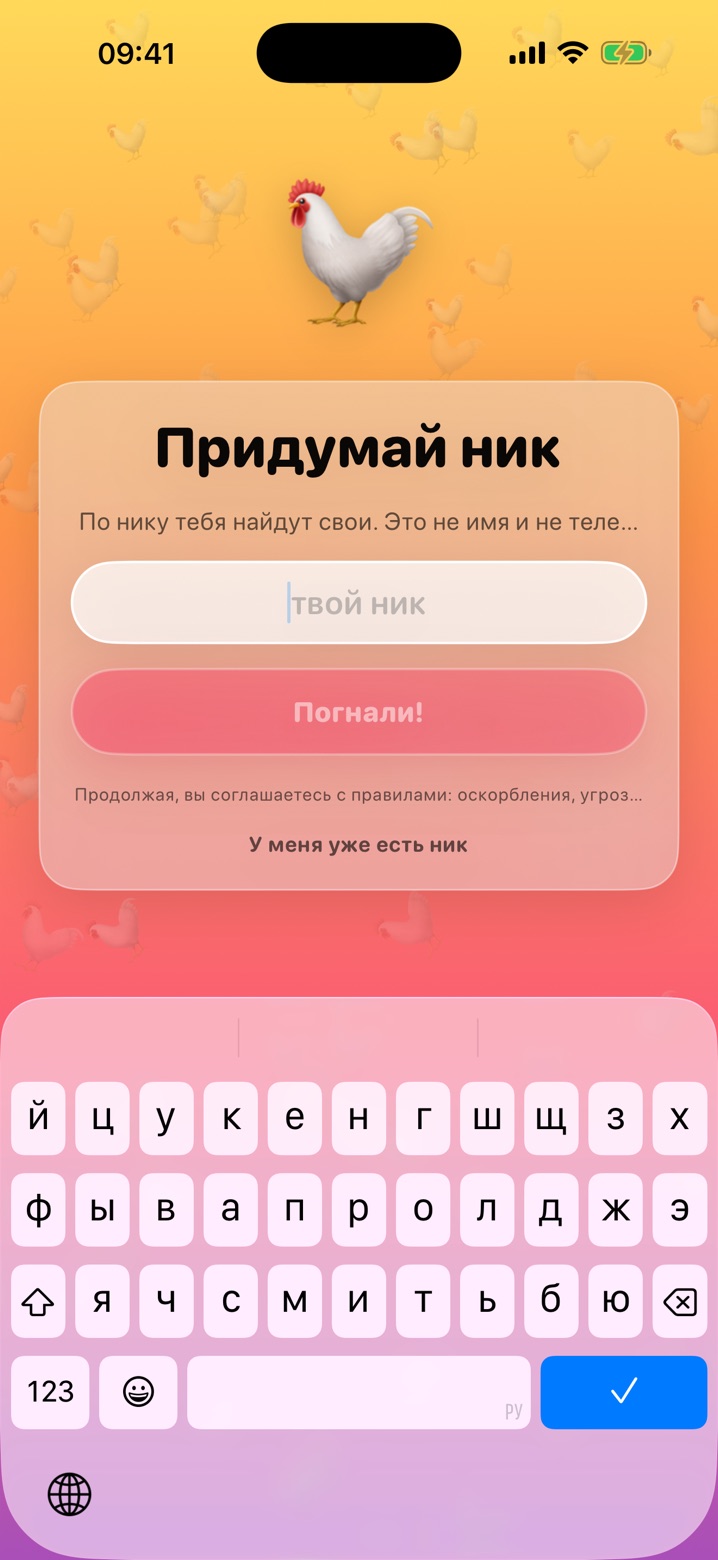
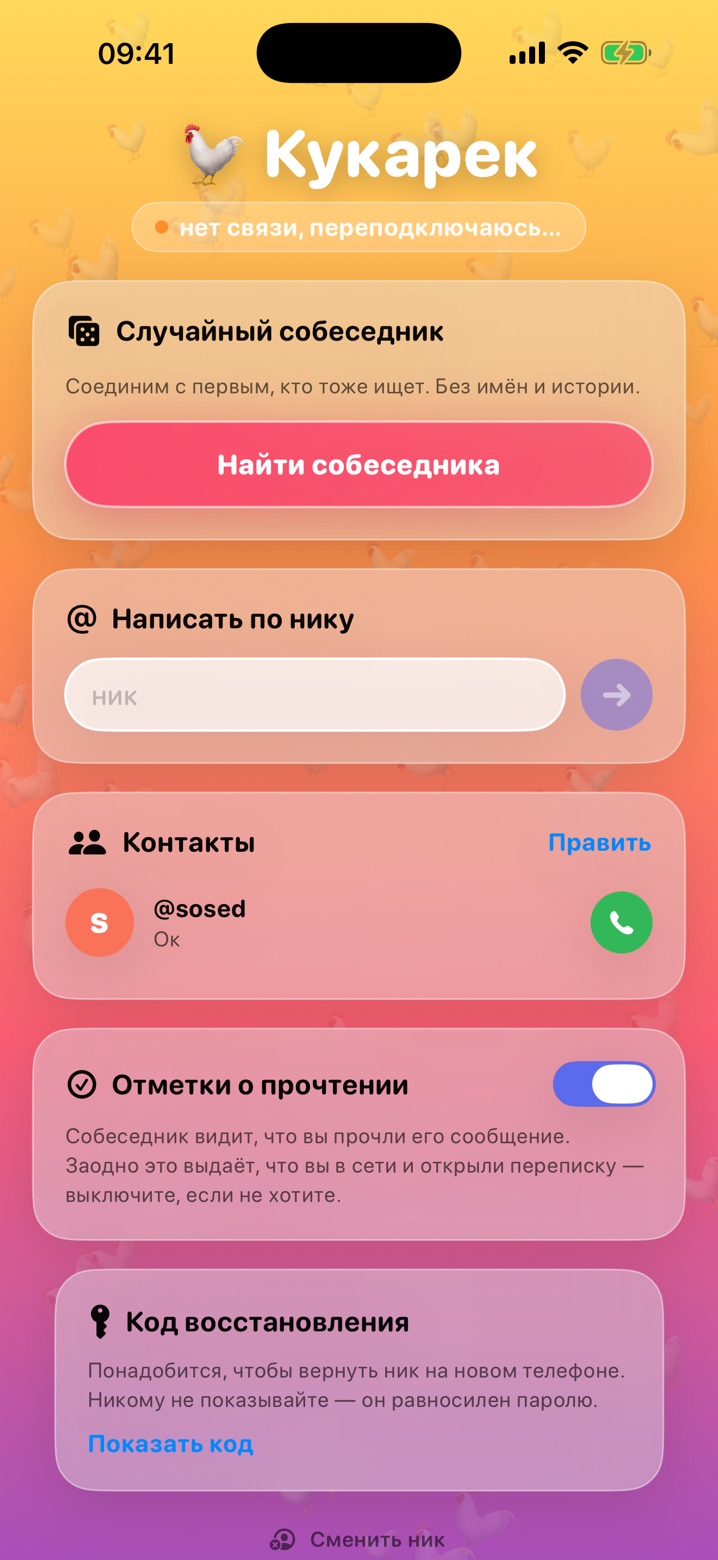
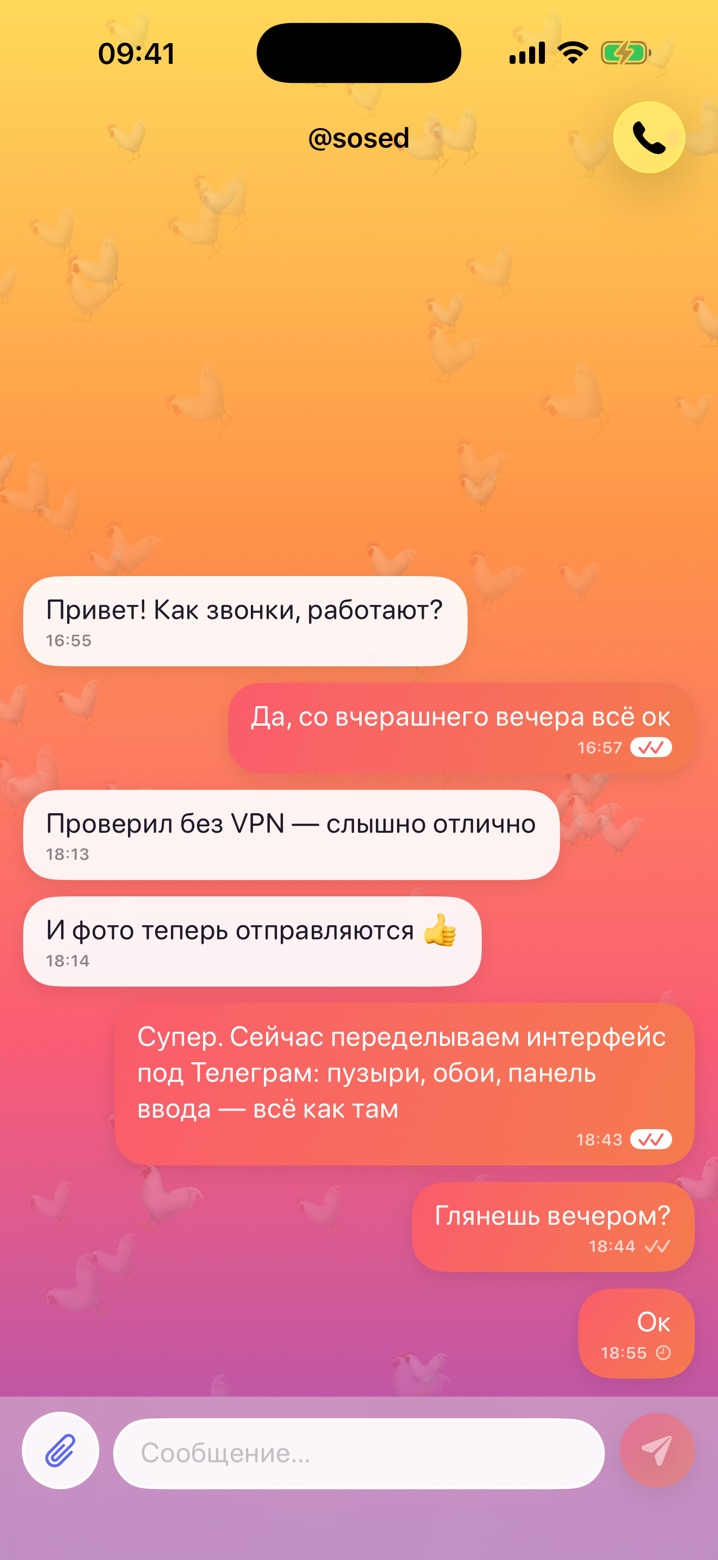
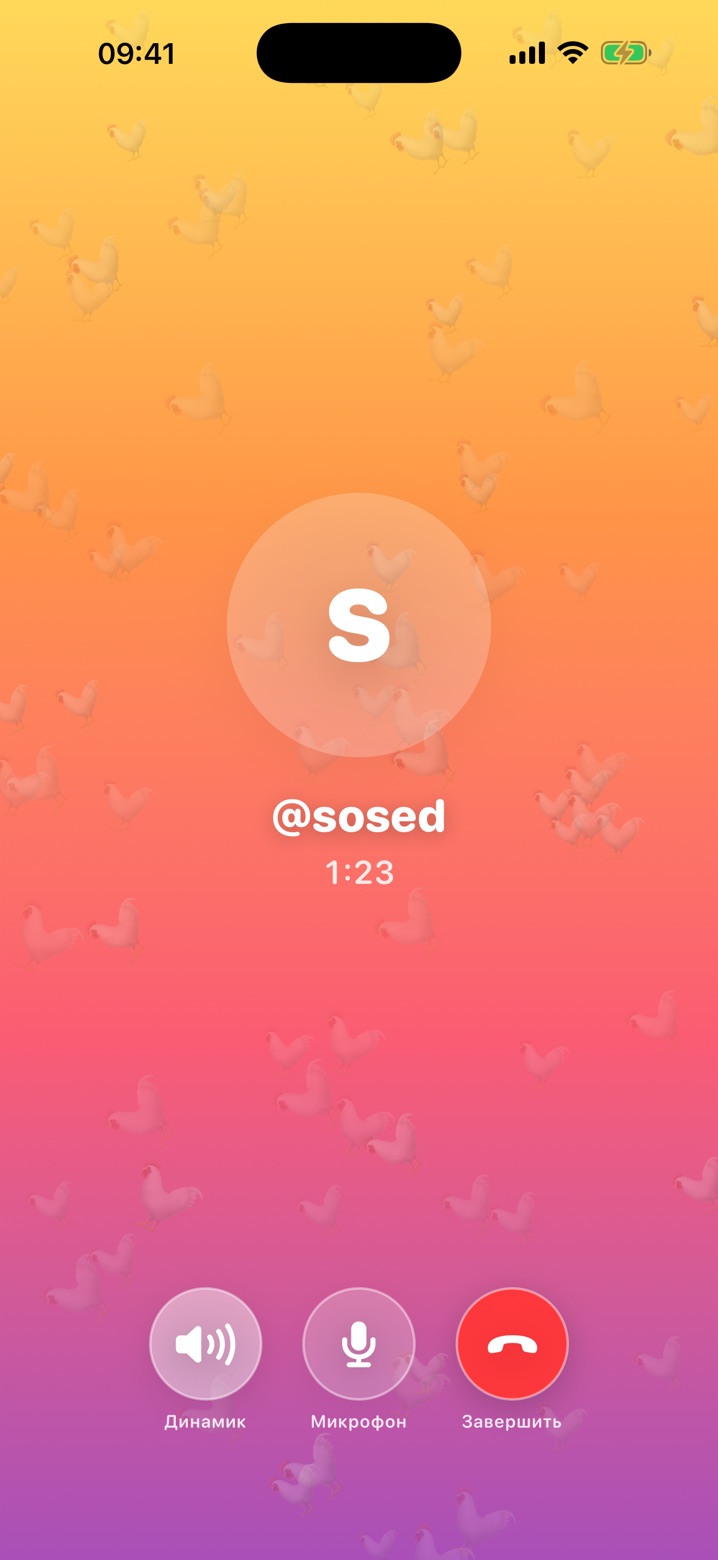
The problem: I invented every new screen from scratch. Where does the photo button go? How do you show “read”? What does an incoming call look like? Every time it came out different, and people had to get used to it.
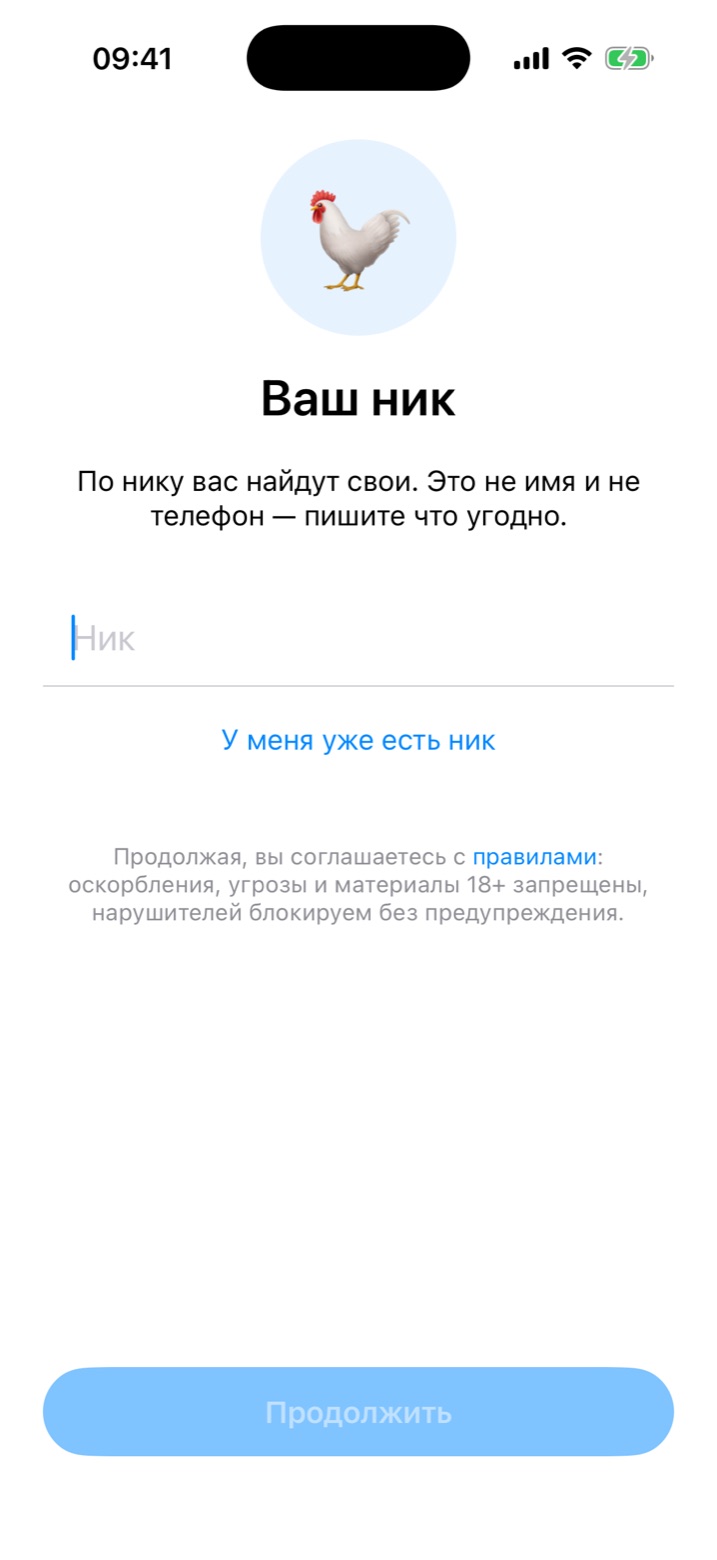
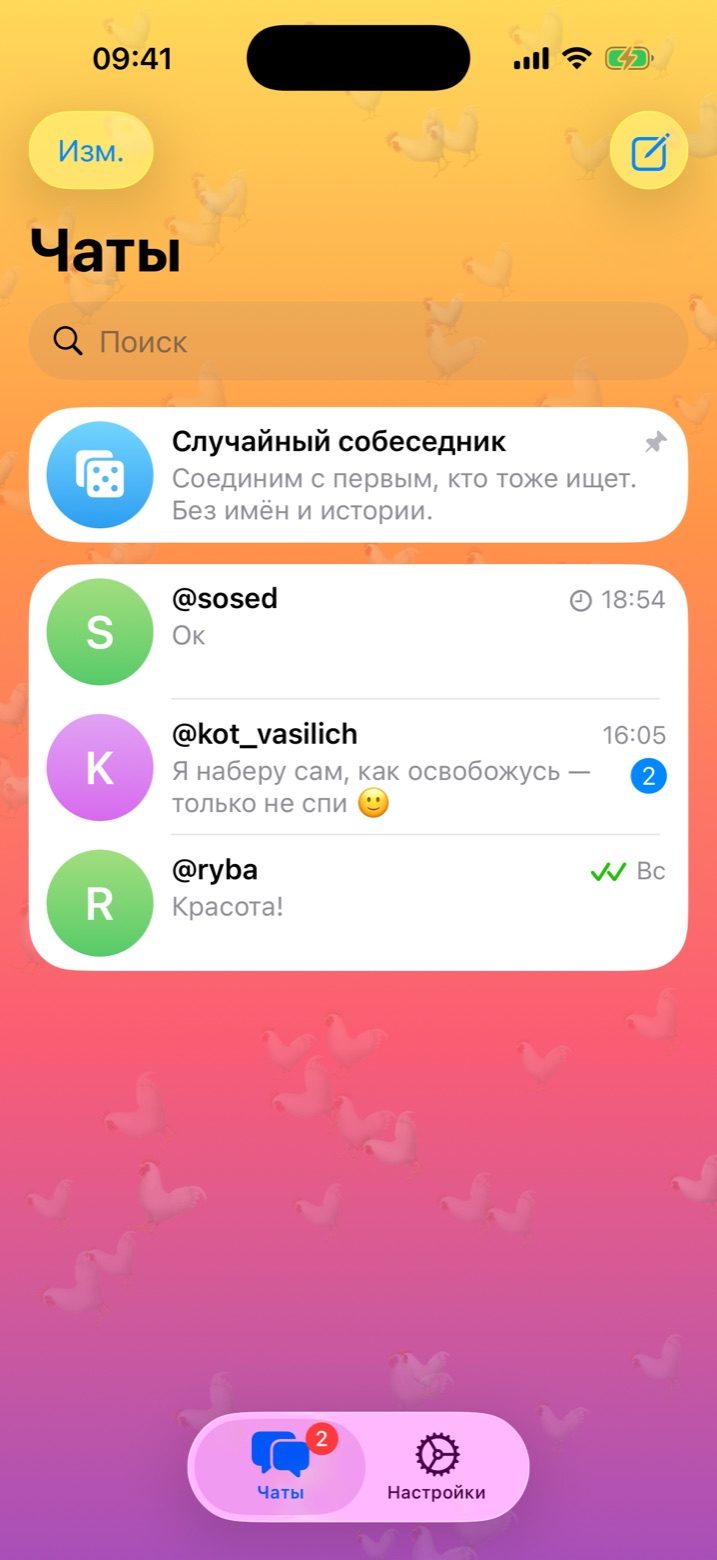
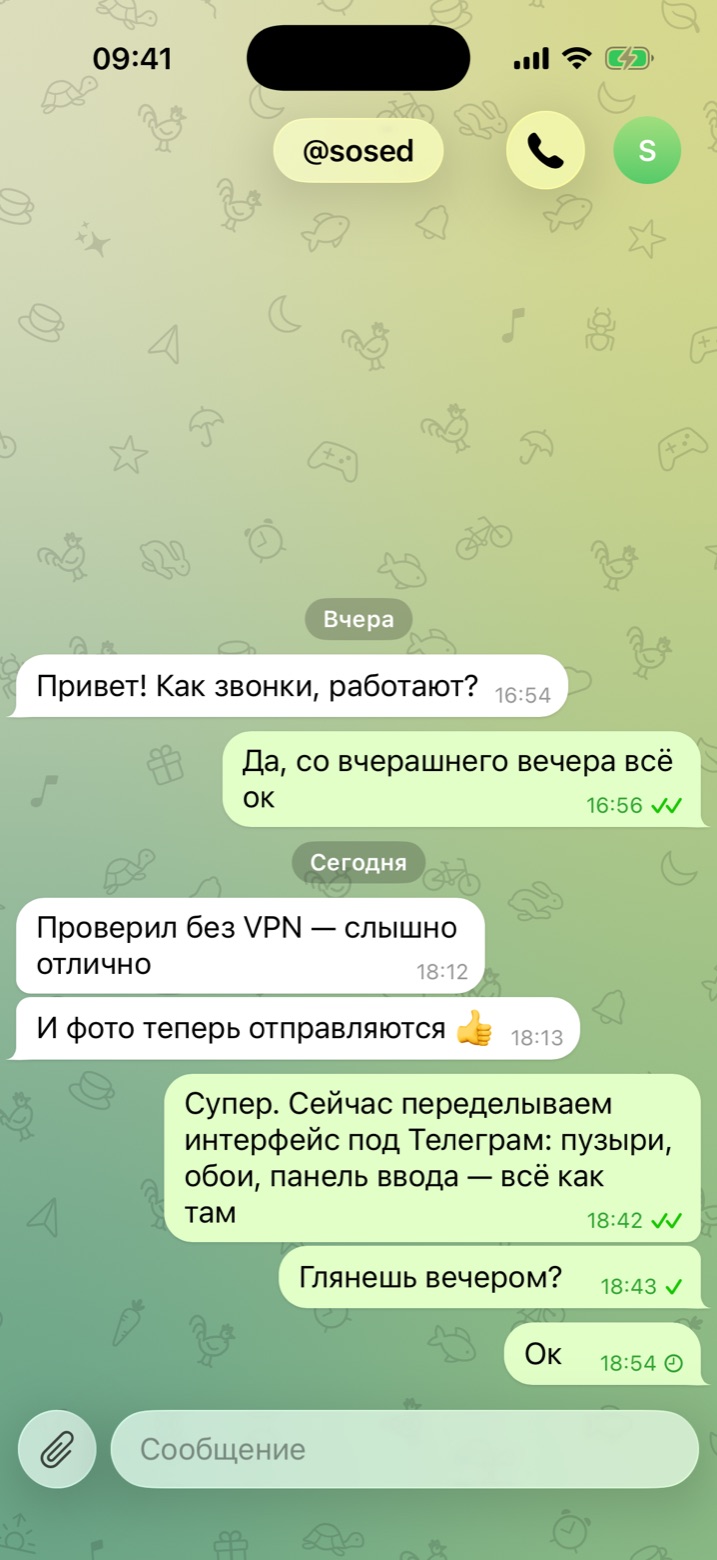
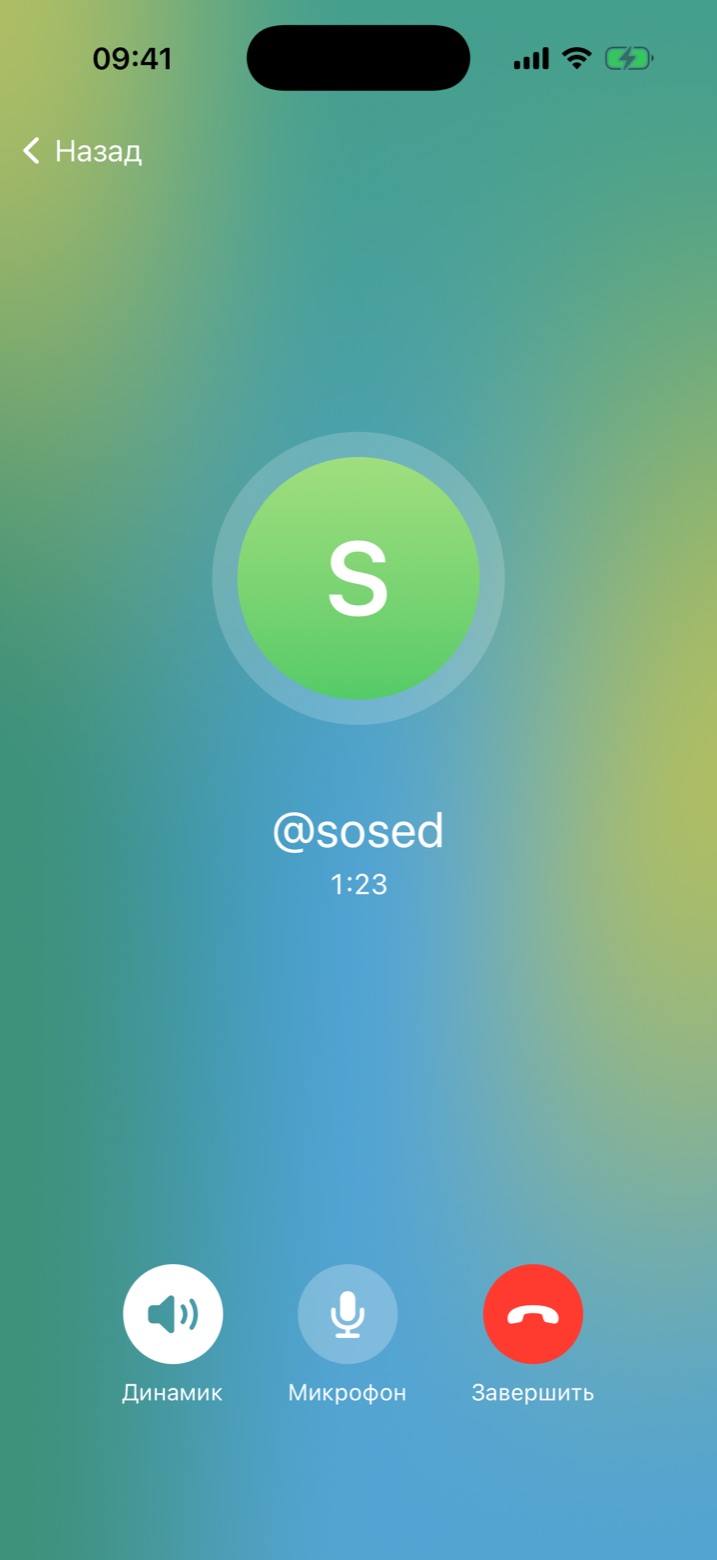
At some point I adopted a rule: if you don't know how to do it, look at how Telegram does it. Everyone knows that interface; it needs no explanation. Chat list, bubbles, input bar with a paperclip, call screen. Copy as closely as possible. Deviate only where anonymity demands it.
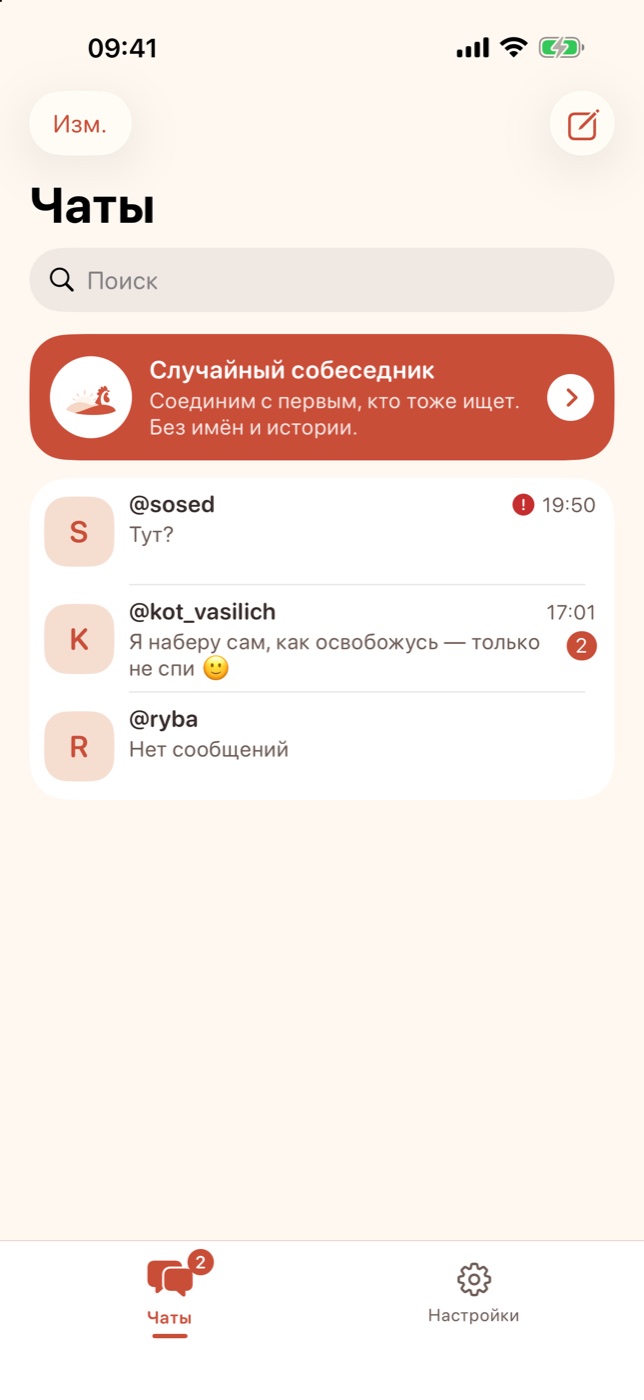
Redid everything in a day. Bubbles like there, wallpaper like there, avatars in the same colours. The roosters didn't go anywhere; they became a wallpaper pattern, like Telegram's little animals. And the old Kukarek sunrise came back on the home screen so it's clear it's still the same app.
The third look: three themes instead of Telegram
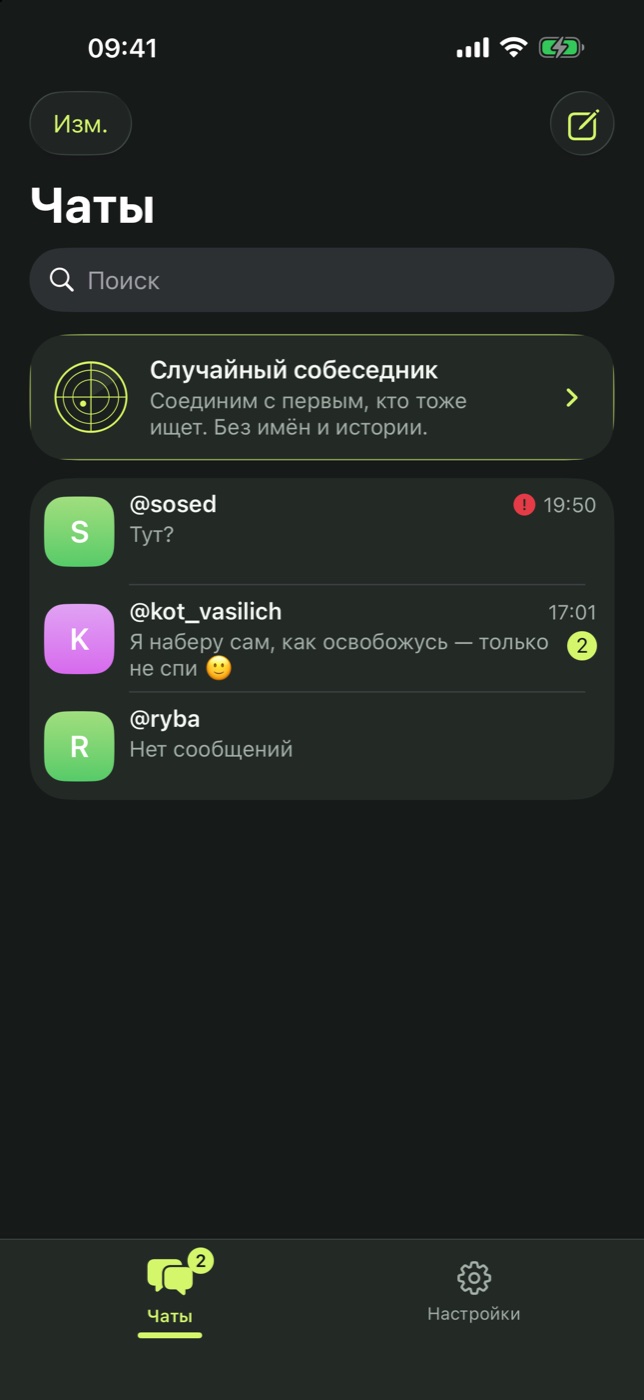
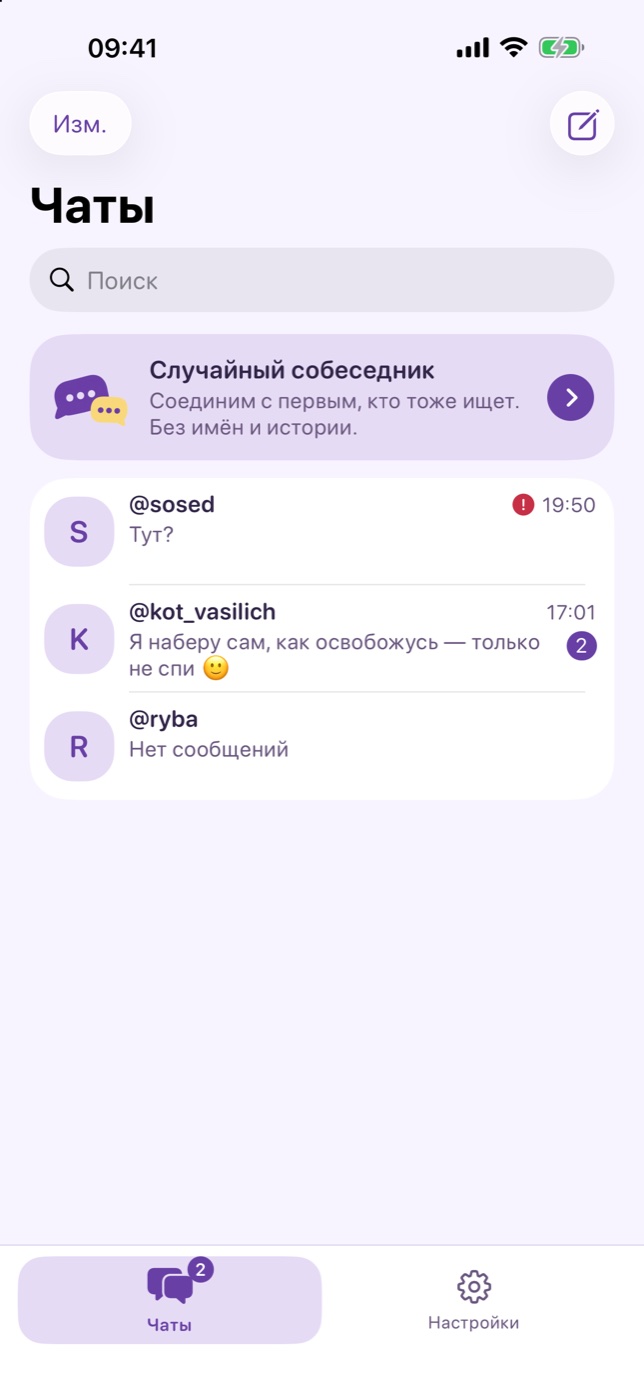
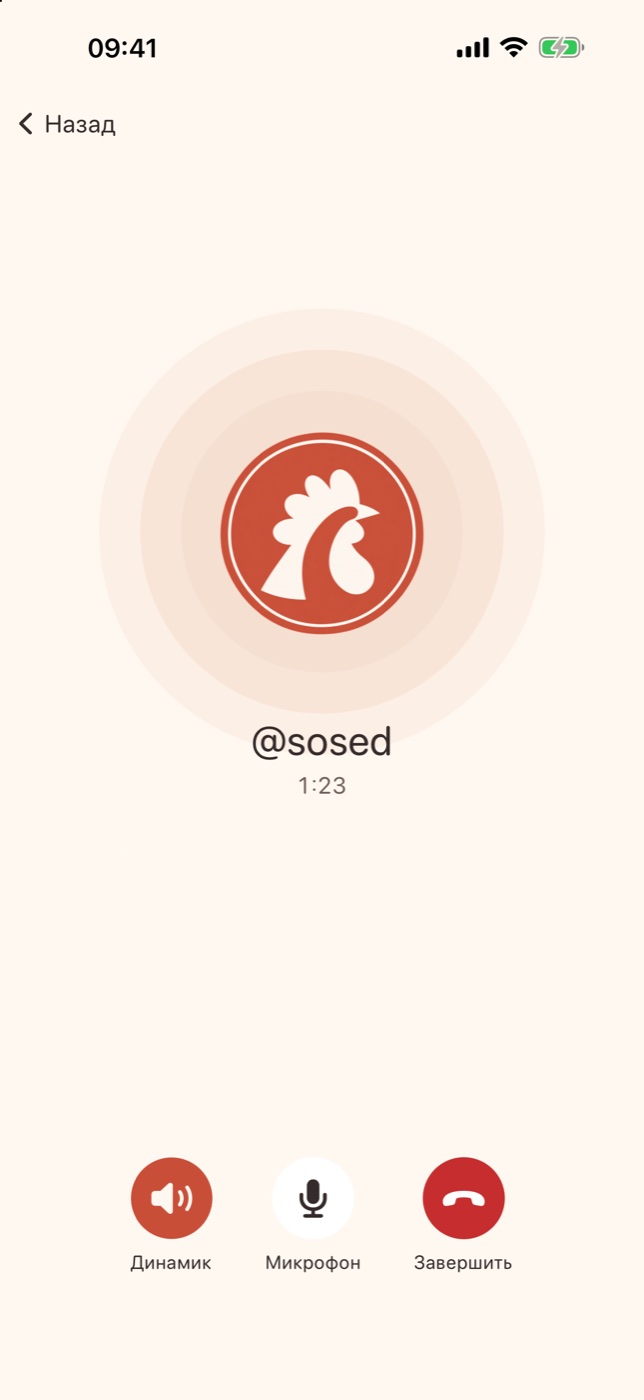
Then it was time to submit to the App Store, and it hit me: an app that looks like Telegram can be rejected for exactly that. We kept the Telegram layout, because hands are used to it, and made the look our own. Three themes: “Dawn” with coral, the dark “Night Signal” with lime, and the lilac “Blueberry Cream”. Each has its own character: its own random-partner card, its own circles on the call screen, its own tab bar. The rooster wallpaper is gone, bubbles have no tails, avatars are rounded squares. The illustrations and the angry red rooster app icon were drawn by ChatGPT.
So in two weeks Kukarek has had three faces: the peacock, Telegram, and its own. I hope this one is the last.
The rooster that erases the chat
A feature nobody else has. Send a message with a single rooster emoji, and both screens go black, yellow eyes and a beak fade in under a rising sound, and seven seconds later the conversation disappears on both phones, photos and voice messages included. The contact stays. The server knows nothing about it; the phones erase their own history. It only fires on a lone rooster, so a stray emoji inside a sentence won't wipe anything.

Android in a day, with adventures
Once the iPhone version settled, I did Android. Fun there too.
The first build weighed 52 megabytes and simply wouldn't fit on the phone I sent it to. Had to build separately for modern processors; it got twice as small.
Then app signing failed with an error made of pure gibberish. Turned out the folder with the key had a Russian name, and the signing tool reads paths like it's 1998. Moved it to a folder with a Latin name, everything worked. Hail Cyrillic.
And push notifications on Android weren't arriving because one of the fields I was sending was named with a reserved word. Google's server just silently threw everything away. Renamed the field, pushes flowed.
What's inside, for the paranoid
In plain words, no technical detail:
- Phone number, email, name — the app asks for none of it. Just a nickname.
- Voice goes straight between two phones and is encrypted. The server only introduces the phones to each other and never hears the conversation.
- Messages for someone offline wait on the server for a day and get deleted. Not delivered in a day — gone.
- Photos are re-rendered before sending so no location tag or other traces remain. In random chat there are no photos at all.
- The first photo from a stranger arrives blurred. Whether to open it is up to you.
- Read receipts can be turned off. Because they say not only “read” but also “I'm online right now”. For an anonymous app that has to be switchable.
- There's reporting, blocking, and a filter that doesn't let garbage through. Without that Apple won't even talk to you.
What's next
Kukarek lives in beta. The iPhone version installs by invite, Android is catching up. If you want to test it, write through the form and I'll send a link.
Questions and answers
What is Kukarek?
Kukarek is an anonymous messenger with voice calls. There's no sign-up: you pick a nickname and immediately write or call. You can message a person by nickname or tap “Find a stranger”, and the app pairs you with someone who's also looking to chat right now.
Do I need a phone number or an email?
No. The app asks for no number, no email, no name. Just a nickname you make up yourself. If you reinstall the app, the nickname comes back with a recovery code.
Are the calls really protected?
Yes. Voice goes directly between the phones and is encrypted; only the two participants have the keys. The server helps the phones find each other but doesn't hear or record the conversation.
Where can I download Kukarek?
Right now the app is in closed beta: the iPhone version installs via TestFlight by invite, the Android version is in progress. Write through the form on the site and I'll send you a link.
Does it work without a VPN?
Yes. The app talks to the server over regular https, like any website, and connects from Russian home and mobile providers without a VPN.
Is it free?
Yes, completely. No ads either.